World Space Normal - Substance Painter Shader
SUMMARY
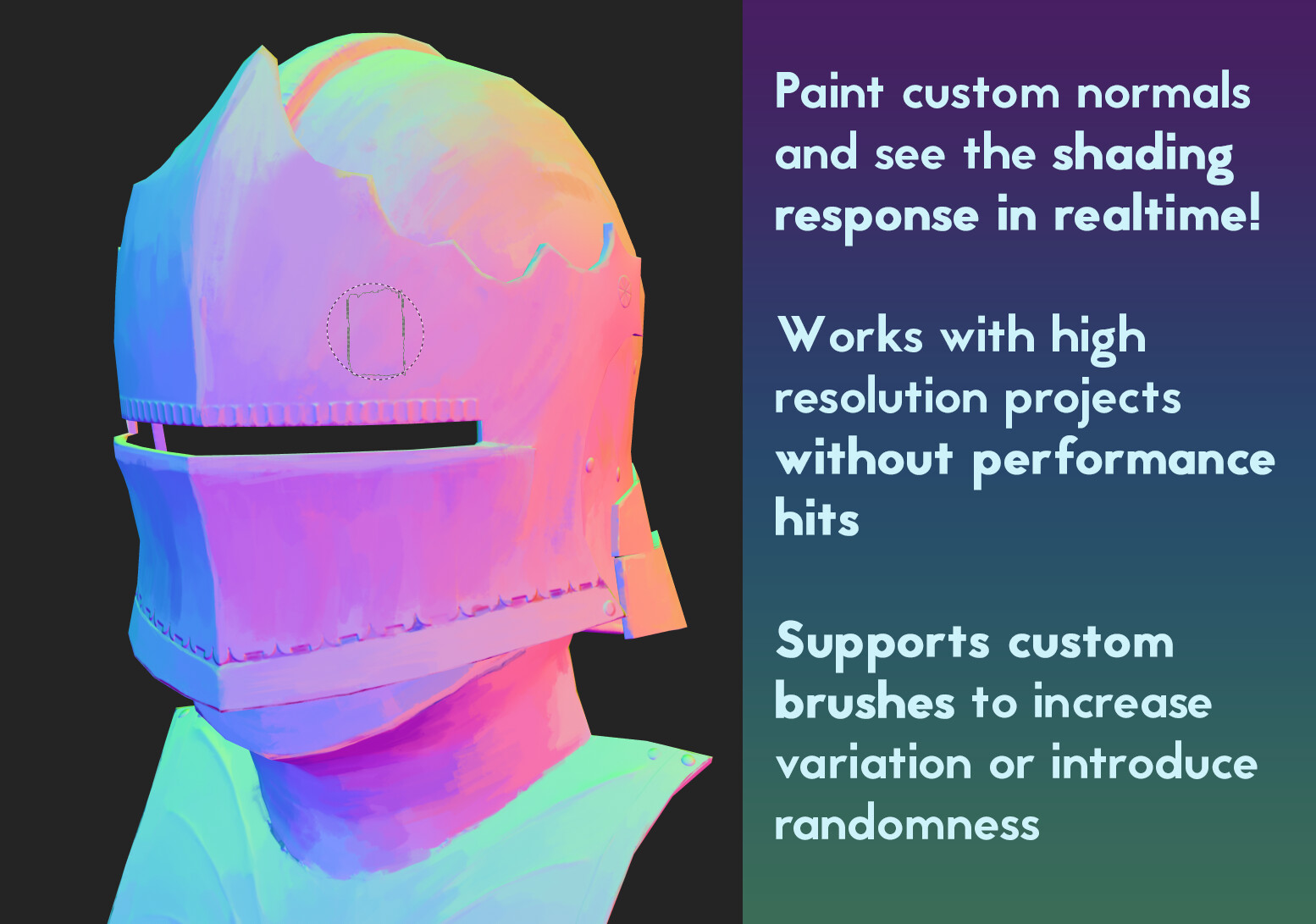
* Standard Substance 3D Painter Metal/Rough PBR shader with alpha test and the option to
use World Space Normals for shading which is usefull for painting faceted normals.
! Warning: The WSN channel currently does not support any Height based effects or any
additional normal map detail.
INSTALATION
* Copy the "pbr-metal-rough-wsn.glsl" file into:
...\Documents\Adobe\Adobe Substance 3D Painter\assets\shaders
USAGE
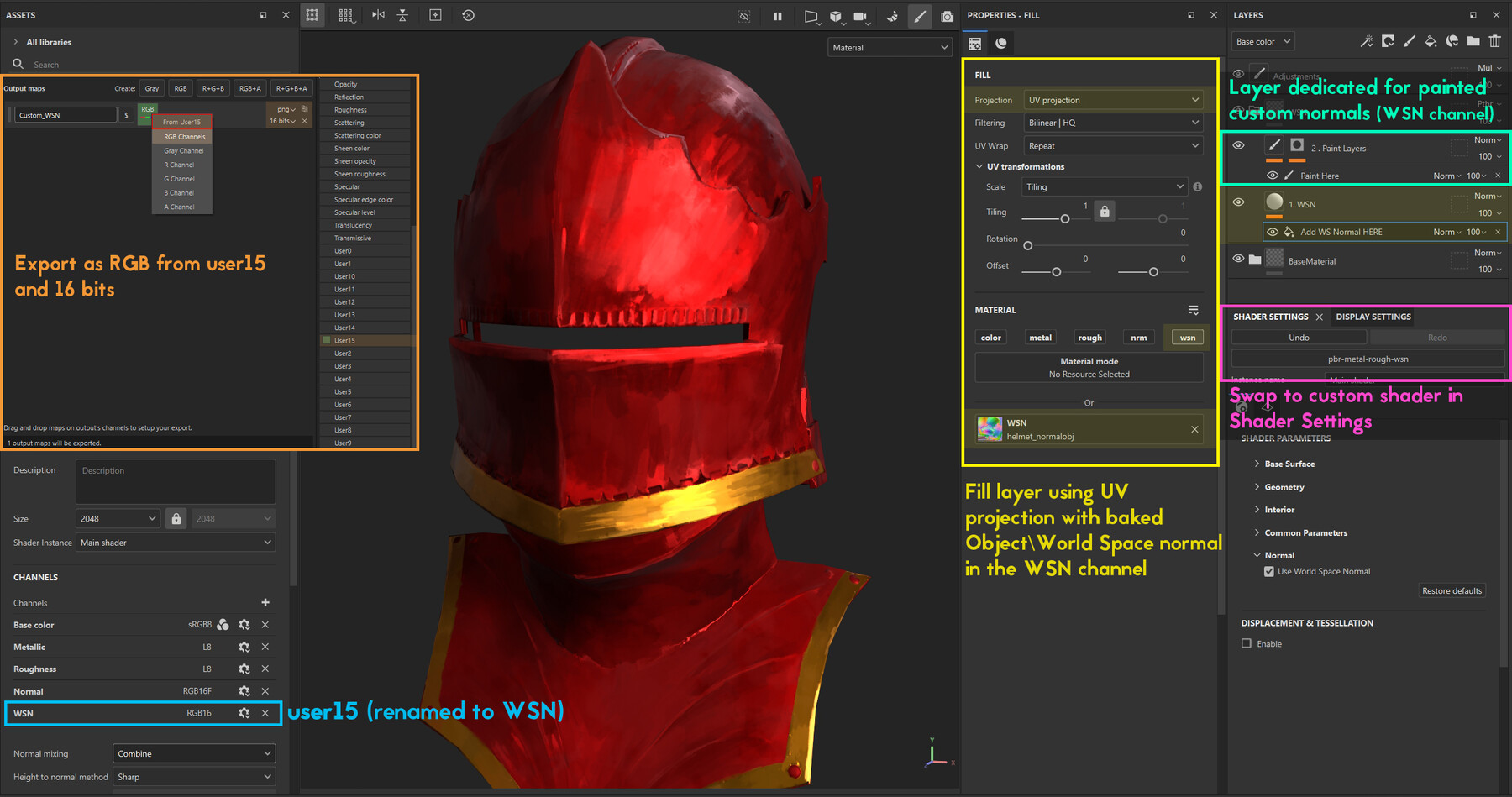
- In Shader Settings menu, assign "pbr-metal-rough-wsn"
- In Texture Set Settings, add UserChannel User15 (recommend to rename it to WSN)
- Make sure the channel is set to RGB16 (not RGB16F or anything else)
- Create\use a Fill layer on the bottom of your stack, enable the WSN channel
- Assign your World\Object Space Normal map to the channel
!! If you are importing your baked textures from another software (like Marmoset)
!! make sure it's baked at 16bit depth. Otherwise your shading will look faceted. - Add a Paint layer, enable painting in the WSN channel (and any additional ones you want to affect)
- During Texture export, make sure the WSN channel is in an RGB output and bitdepth is to 16 bits!
CONVERSION
* World\Object Space Normals can be used in games and offline renderers.
However, they don't always support all features. Plus if you are trying to optimize
your texture packing, you are potentially wasting one channel. So ideally, you would
want to convert your WSN into Tangent Space.
* There are multiple ways of converting WSN:
-
Runtime with shader logic - most shader support converting from World space to Tangent Space
It might be cheap, but it still limits your packing. -
Very Normal Paint - a custom filter that converts your WSN map directly in Painter
into a tangent space normal map
!! I highly recommend turning off the layer that does the conversion until you go to export,
!! that way, the filter doesn't slow down your painting process -
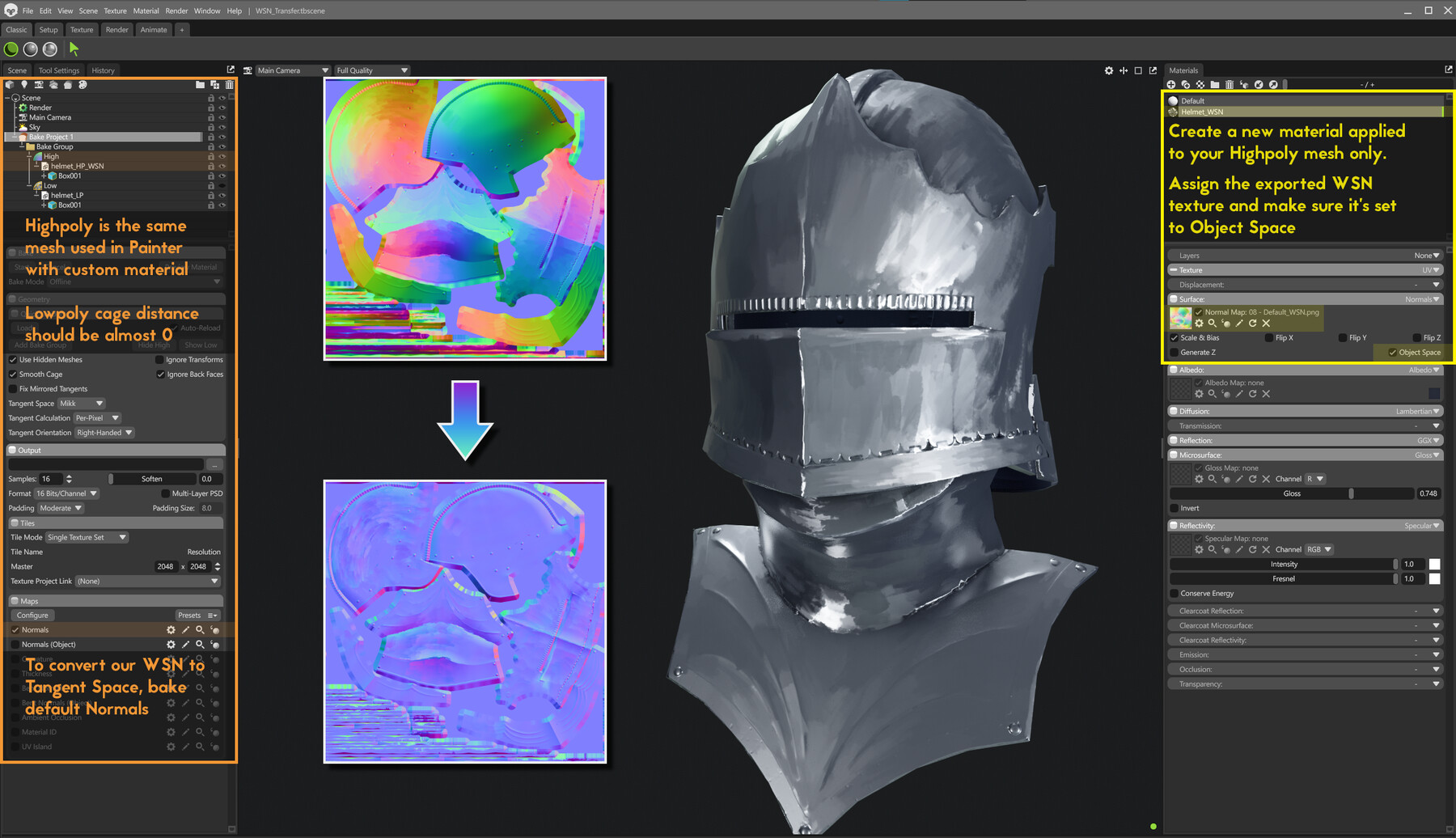
Rebake in extarnal software - Marmoset (and other baking apps where you can change the materials
of meshes that you are baking down) will allow you bake\convert your WSN into standard tangent space normal.
Just make sure your highpoly (which in this will be the same mesh you used in Painter) has a
material with the exported WSN texture applied and is set to used as Object\World Space.
Afterwards, you can just bake the normal map as you would with a sculpt in your highpoly.